
CCTV Installation Service: Complete Guide 2026
Planning CCTV installation for your home, office or factory? Learn camera types, costs, DVR vs NVR, storage & how to choose the right installer
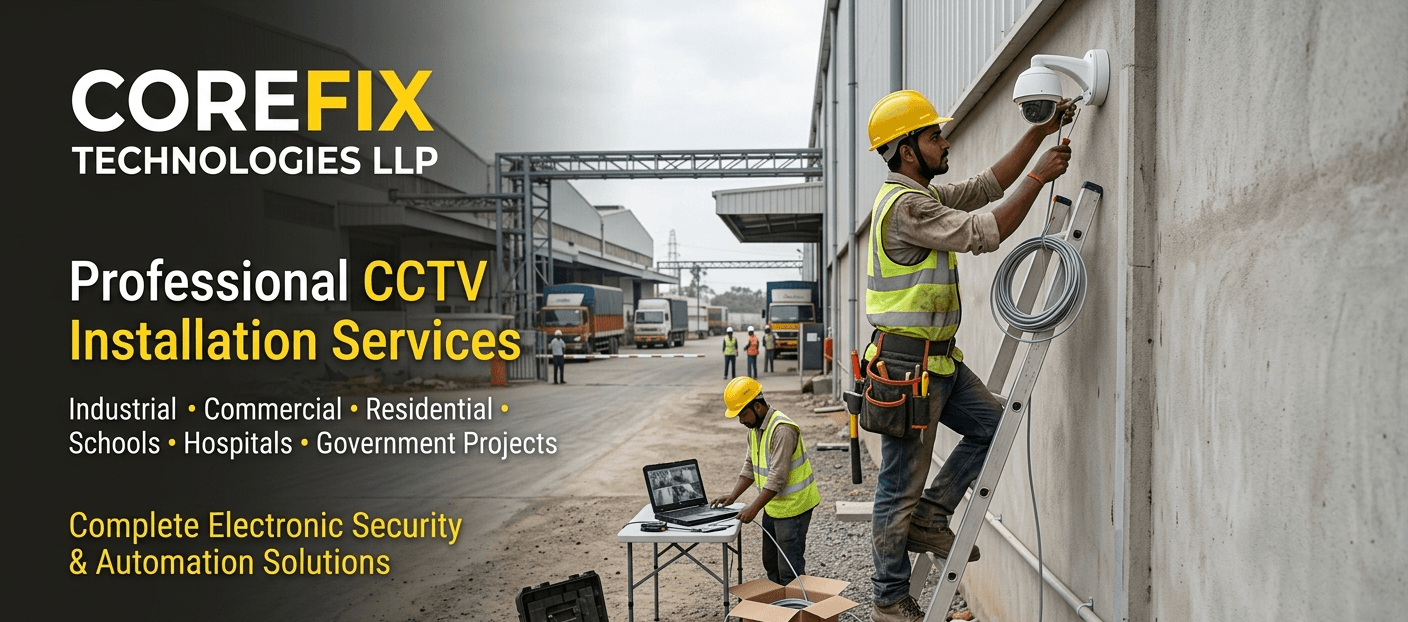
CCTV Installation Service: Complete Guide to Choosing, Installing and Maintaining a CCTV Security System
Security cameras have become a basic requirement for homes, offices, schools, factories and commercial buildings across India — not a luxury reserved for large corporations. Whether you are protecting a warehouse in an industrial area, monitoring student safety on a college campus, or simply wanting to know who rang your doorbell, a well-planned CCTV installation service makes the difference between a system that actually protects you and one that just sits on a wall doing very little.
This guide walks through everything you need to know before installing a CCTV system — camera types, technical requirements, costs, common mistakes, and how to choose the right installer — written in plain language for Indian homes, institutions and businesses.
What Is a CCTV Installation Service?
CCTV installation service refers to the professional planning, mounting, wiring, configuration and testing of surveillance cameras and their supporting equipment (DVR/NVR, storage, network and power) to create a working security monitoring system. It typically includes a site survey, camera placement, cabling, device configuration, and setup for remote viewing on a mobile phone or computer.
A proper installation is not just "fixing a camera on the wall." It involves choosing the right camera type for each location, calculating coverage angles, deciding on wired or wireless connectivity, setting up adequate storage, and making sure the footage is actually retrievable when you need it.
Why CCTV Installation Matters for Security
A visible, correctly installed CCTV system serves several practical purposes:
Deterrence — visible cameras discourage theft, trespassing and vandalism. Evidence — recorded footage helps in police complaints, insurance claims and internal investigations. Remote supervision — business owners and parents can check on premises, staff or family from anywhere using a mobile app. Operational insight — factories and warehouses use footage to review workflow, safety compliance and material movement, not just intrusions. Accountability — in offices and schools, cameras support staff safety, visitor management and dispute resolution.
The value of a CCTV system depends heavily on installation quality. A camera pointed at the wrong angle, with poor night vision or insufficient storage, often fails at the exact moment it is needed.
Types of CCTV Cameras
Choosing the right camera type for each location is one of the most important decisions in any CCTV camera installation project.
Dome Cameras
Compact, ceiling-mounted cameras with a rounded housing. Popular for indoor use in offices, retail stores and reception areas because the dark dome makes it harder to tell which direction the lens is pointing.
Bullet Cameras
Cylindrical, long-range cameras usually mounted on walls or poles. Well suited for outdoor perimeter monitoring, gates, parking areas and building entrances due to their longer visible range and weatherproof housing.
IP Cameras
Network-based cameras that transmit digital video over a LAN or Wi-Fi connection, usually to an NVR. IP cameras generally offer sharper image quality and easier remote access compared to older analog systems, though they typically cost more upfront.
PTZ (Pan-Tilt-Zoom) Cameras
Cameras that can be remotely rotated and zoomed, useful for large open areas such as factory floors, parking lots and warehouse yards where one camera needs to cover a wide, changing field of view.
Indoor Cameras
Designed for controlled environments without exposure to rain, dust or extreme heat — common in offices, classrooms, hospital corridors and retail counters.
Outdoor Cameras
Built with weatherproof (usually IP66 or higher rated) housings to withstand rain, dust and temperature swings — used at gates, boundary walls, rooftops and building exteriors.
Night Vision Cameras
Use infrared (IR) LEDs to capture clear footage in low light or complete darkness. Essential for any camera covering entry points, boundary walls or parking areas after dark.
AI-Enabled Cameras
Newer cameras with built-in intelligence such as motion-based alerts, line-crossing detection, and basic object or face detection. These can reduce false alarms and help security staff focus on genuine events rather than reviewing hours of footage.
How Professional CCTV Installation Works
A structured CCTV installation and service process typically follows these steps:
Site survey — assessing the property, entry points, blind spots and lighting conditions. Camera and system selection — choosing camera types, resolution and DVR/NVR/IP setup based on the survey. Cable and power planning — routing cabling (or confirming Wi-Fi/PoE feasibility) with minimal visible wiring. Mounting and alignment — fixing cameras at the correct height and angle for maximum coverage. Network and storage configuration — connecting cameras to the recorder, setting up the hard disk, and configuring recording schedules. Mobile app and remote access setup — linking the system to a smartphone app for remote monitoring. Testing and handover — verifying all cameras, night vision, motion alerts and playback before handover, along with a basic walkthrough for the client.
Skipping any of these steps is one of the most common reasons CCTV systems underperform after installation.
CCTV Site Survey and Camera Placement
Camera placement decides how useful your footage will actually be. A few practical principles:
Cover all entry and exit points first — main gate, back door, reception, loading dock. Mount cameras high enough to avoid tampering, but not so high that faces become unrecognisable. Avoid pointing cameras directly into strong sunlight or bright lights, which causes glare and washed-out footage. Overlap coverage slightly between cameras to reduce blind spots — this addresses the common concern around CCTV camera area coverage. For large sites (factories, warehouses, residential societies), plan camera zones separately: perimeter, common areas, parking, and sensitive internal zones.
A proper site survey before quoting a price is a strong sign of a professional CCTV installation service — sellers who quote a price without visiting the site are often guessing.
Choosing the Right CCTV Camera
There is no single "best cctv camera" for every situation — the right choice depends on the location, lighting, coverage distance and budget. When comparing good CCTV camera brands and models, consider:
Resolution — higher resolution captures more detail, useful for identifying faces or number plates. Field of view and lens type — wide-angle lenses cover more area; fixed-zoom lenses are better for long, narrow spaces like driveways. Housing rating — IP66/IP67 for outdoor durability. Night vision range — measured in metres; match it to the actual distance the camera needs to cover. Connectivity — wired (analog/IP) for reliability, or Wi-Fi for locations where cabling is difficult. CCTV Resolution and Image Quality
Resolution is usually described in megapixels (MP) — common options include 2MP (1080p), 4MP, and higher-end 6 megapixel CCTV cameras or above for locations requiring fine detail, such as cash counters, parking entrances or ID verification points. Higher resolution footage is clearer when zoomed in but also uses more storage, so resolution and storage planning should be done together, not separately.
Night Vision and Low-Light Surveillance
Most modern cameras include infrared night vision, but the effective range varies significantly between models. For accurate night coverage:
Match the IR range to the actual distance being monitored — a camera rated for 20 metres of night vision will not clearly capture activity 40 metres away. Avoid placing cameras where they face oncoming vehicle headlights or streetlights directly, as this can interfere with IR performance. For very low-light or fully dark outdoor areas, consider cameras with a larger sensor or a slightly wider aperture rather than relying purely on IR strength. CCTV Storage and Hard Disk Requirements
Storage is one of the most overlooked parts of any CCTV camera installation. Recording duration depends on:
Number of cameras Camera resolution Frame rate Motion-based vs continuous recording Hard disk capacity
Surveillance-grade hard disks (built for continuous read/write cycles) are strongly recommended over standard desktop hard disks, which are not designed for 24/7 recording and tend to fail sooner in this use case.
DVR vs NVR vs IP Camera Systems
This is one of the most common points of confusion for first-time buyers, and it directly affects cabling, cost and future scalability.
Feature DVR System NVR System Camera type used Analog cameras IP (network) cameras Video processing Camera sends analog signal; DVR processes it Camera processes and compresses video itself Cabling Coaxial cable + separate power cable Single Ethernet (PoE) cable for video + power Image quality Good, generally lower max resolution Typically higher resolution and sharper detail Installation cost Usually lower upfront Usually higher upfront, simpler cabling Best suited for Budget-conscious homes, small shops Offices, institutions, larger commercial sites
In short: DVR systems work with traditional analog cameras and are more budget-friendly, while NVR systems work with IP cameras and generally deliver sharper footage with simpler single-cable installation. Neither is universally "better" — the right choice depends on budget, scale and future expansion plans.
PoE CCTV Systems
Power over Ethernet (PoE) allows a single cable to carry both power and video data to an IP camera, removing the need for a separate power line. PoE systems are increasingly preferred for video surveillance system installation in offices and institutions because they:
Simplify cabling and reduce installation time Reduce the number of points of failure (one cable instead of two) Make it easier to relocate cameras during future expansion Remote Mobile Viewing
Almost all modern DVR, NVR and IP camera systems support a companion mobile app, allowing users to view live and recorded footage from a smartphone over Wi-Fi or mobile data. When setting this up, ensure:
The system uses a secure, updated app rather than an unsupported third-party app Default passwords are changed immediately after installation Remote access is enabled only for authorised devices
This directly addresses the common search for CCTV cameras controlled by phone — nearly every mid-range system today supports this feature when configured correctly.
CCTV Networking Requirements
A stable network is the backbone of any modern surveillance system, particularly for IP and PoE-based installations. Basic camera installation requirements typically include:
A stable internet connection for remote viewing (cameras can still record locally without internet) A router/switch with enough ports (or a PoE switch) for the number of cameras Sufficient bandwidth if multiple cameras stream simultaneously to the cloud or app Proper cable routing to avoid interference from electrical wiring CCTV Installation for Schools and Colleges
Educational institutions need coverage focused on entry gates, corridors, parking areas, playgrounds and building perimeters, with clear signage indicating monitored areas. Classrooms and washrooms require careful, policy-compliant placement that respects student privacy while covering common areas effectively. Reliable storage retention is particularly important here, since incidents may need to be reviewed days after they occur.
CCTV Installation for Offices and Industries
Offices typically prioritise reception areas, server rooms, cash handling areas and exits. Industrial sites add requirements such as:
Coverage of production floors and machinery areas for safety monitoring Loading dock and material movement tracking Dust, heat and vibration-resistant camera housings for factory floors Integration with access control systems where available CCTV Installation for Warehouses and Commercial Properties
Warehouses generally need wide-area coverage with PTZ or long-range bullet cameras at loading bays, stacking zones and boundary walls, combined with motion-based alerts to flag after-hours movement. Commercial buildings such as malls and office complexes benefit from a mix of dome cameras in common areas and outdoor cameras covering parking and perimeter zones.
Common CCTV Installation Mistakes Placing cameras too high or at the wrong angle, reducing facial or plate recognition Ignoring night vision range and lighting conditions Under-sizing storage capacity for the number of cameras and resolution used Using non-weatherproof cameras outdoors Poor cable management, leading to signal loss or physical damage over time Not changing default passwords, leaving the system vulnerable to unauthorised access Skipping a proper site survey and installing cameras based on guesswork Professional Installation vs DIY Installation
DIY CCTV kits can work for very small, simple setups such as a single camera at a home entrance. However, professional installation is generally worth it when:
Multiple cameras need to be networked together The site has structural or wiring challenges Coverage planning needs to account for blind spots across a large area The system needs to integrate with existing IT infrastructure or access control
Professional installers also bring experience in diagnosing issues like signal interference, cable degradation and network configuration errors — problems that are harder to troubleshoot without technical background.
CCTV Maintenance and AMC
Like any electronic system, CCTV setups need periodic maintenance to keep working reliably:
Cleaning camera lenses and housings, especially outdoor units exposed to dust and rain Checking cable connections and power supply units for wear Verifying hard disk health and recording continuity Updating firmware where applicable Testing night vision and motion alerts periodically
An Annual Maintenance Contract (AMC) with a cctv installation and repair provider ensures issues are caught early, rather than discovered only after footage is needed and unavailable.
CCTV Installation Cost Factors
CCTV camera installation and price vary widely based on several factors, so it's difficult to quote an accurate figure without a site visit. Key cost drivers include:
Number of cameras and camera type (dome, bullet, PTZ, IP) Resolution and brand DVR/NVR vs IP/PoE setup Cable length and installation complexity (concealed wiring vs surface wiring) Storage capacity (hard disk size) Additional accessories such as switches, connectors and mounting brackets Ongoing AMC or maintenance requirements
Rather than comparing prices from a cctv wholesale market listing alone, it's worth getting a site-specific quote, since labour, cabling and configuration usually make up a significant part of the total cost — not just the camera itself.
How to Choose a Reliable CCTV Installation Company
When evaluating a cctv camera provider, look for:
Willingness to conduct a physical site survey before quoting Clear explanation of camera types and why they're recommended for your specific site Transparency about brand, resolution and storage being proposed Post-installation support and AMC options Ability to service both residential and institutional/commercial setups
Avoid providers who quote a fixed price without seeing the site, or who cannot clearly explain the difference between the equipment options being offered.
Why Professional CCTV Installation Matters
A CCTV system is only as reliable as its weakest link — whether that's a poorly placed camera, undersized storage, weak Wi-Fi, or a cable that wasn't properly protected. Professional installation reduces these risks by combining a proper site assessment, correctly matched equipment, and testing before handover, so the system performs as expected when it's actually needed.
9. Frequently Asked Questions
1. How much does CCTV installation cost? Cost depends on the number of cameras, camera type, resolution, cabling complexity and storage requirements. Because these factors vary from site to site, an accurate cost is best determined through a physical site survey rather than a generic estimate.
2. Which CCTV camera is best for outdoor use? Bullet cameras with a weatherproof (IP66 or higher) rating and strong night vision are generally preferred for outdoor use, since they offer longer range and better resistance to rain, dust and heat compared to standard indoor cameras.
3. What is better, DVR or NVR? Neither is universally better — DVR systems work with analog cameras and are usually more budget-friendly, while NVR systems work with IP cameras and typically offer sharper image quality with simpler PoE cabling. The right choice depends on budget, image quality needs and future scalability.
4. How many cameras do I need? This depends on the size of the property, number of entry points, and areas requiring coverage. A site survey helps identify blind spots and determine the minimum number of cameras needed for adequate coverage.
5. Can CCTV cameras work without internet? Yes. Most CCTV systems record locally to a DVR/NVR hard disk without needing internet. An internet connection is only required for remote viewing on a mobile phone from outside the property.
6. How much CCTV storage is required? Storage requirements depend on the number of cameras, resolution, frame rate and whether recording is continuous or motion-triggered. Higher resolution and continuous recording require significantly more storage than motion-based recording at lower resolution.
7. Can I view CCTV cameras on my mobile? Yes, most modern DVR, NVR and IP camera systems support a mobile app for live viewing and playback, provided the system is connected to the internet and configured correctly.
8. How long does CCTV installation take? Installation time depends on the number of cameras and the complexity of cabling. A small home setup may take a few hours, while larger commercial or industrial installations with extensive cabling can take a day or more.
9. What is the difference between IP and analog CCTV? IP cameras process and transmit digital video over a network cable (often with PoE), generally offering higher resolution and easier remote access. Analog cameras transmit signal over coaxial cable to a DVR, and are usually more budget-friendly but with comparatively lower maximum resolution.
10. Is professional CCTV installation necessary? For single-camera home setups, DIY may be sufficient. For multi-camera systems, larger properties, or sites needing network integration, professional installation reduces the risk of coverage gaps, storage issues and configuration errors.
11. How often should CCTV systems be maintained? Periodic maintenance — checking lenses, cables, storage health and night vision — is generally recommended at regular intervals, with more frequent checks for outdoor cameras exposed to dust, rain or heat.
12. What is the difference between a CCTV camera and an IP camera? "CCTV" refers broadly to any closed-circuit camera system, while "IP camera" specifically refers to a network-based camera that transmits digital footage over Ethernet or Wi-Fi. All IP cameras fall under the broader CCTV category, but not all CCTV cameras are IP cameras — some are traditional analog cameras.
10. Suggested Internal Links Anchor Text Suggested Destination Page Why It's Relevant "explore our CCTV installation services" CCTV Installation Services page Direct commercial page for readers ready to inquire after reading the guide "networking solutions for PoE and IP camera setups" Networking Solutions page Readers researching PoE/NVR systems often also need structured network cabling "access control systems for offices and institutions" Access Control page Natural cross-sell for schools, offices and factories already reading about security "biometric attendance systems" Biometric Attendance page Relevant for schools, offices and factories evaluating broader security/automation needs "IT infrastructure setup for commercial buildings" IT Infrastructure page Ties CCTV networking requirements to broader IT setup services "smart security solutions" Smart Security Solutions page Connects AI-enabled camera content to broader smart security offerings "PA system installation for schools and offices" PA System page Relevant cross-sell for institutional clients (schools, factories) needing announcement systems "CCTV maintenance and AMC plans" CCTV Maintenance/AMC page (if available) Directly supports the maintenance section and encourages long-term service contracts
Topics
Need a Professional Solution?
Talk to Corefix Technologies
Corefix Technologies provides IT infrastructure, CCTV surveillance, networking, security and educational technology solutions for businesses, industries and institutions.
Request a Consultation